Pre-release · Windows x64 · Open Source

Windows is watching.
Watch back.
Blacklight

A lightweight, open-source Tauri/Python dashboard that scans your local machine and visualizes exactly what Windows is actively tracking about your user sessions

Windows quietly logs what you run, when, how much data you move, and stamps your machine with persistent IDs that outlast VPNs and updates. Blacklight reads it all back to you — your GDID, execution history, network usage, and every privacy toggle — on one local screen. Nothing leaves your machine.

Runs 100% locally · Open source · No accounts · No cloud telemetry

STATUS: In active development  ·  OS: Windows 10/11 (64-bit)  ·  STACK: Tauri + Python
Your OS keeps a file on you

Every Windows install maintains deep tracking layers most people never see. It records which programs you launched and when, how much network data each app moved, the files you opened, and the networks you joined.

The identifiers are the sharp edge. Windows assigns a persistent Global Device Identifier (GDID) — a device-level ID that stays fixed across updates and doesn't rotate when you change your IP. A VPN masks your network exit point; it does nothing about what the OS itself already knows and stores.

Most of this is buried in obscure registry hives (IdentityCRL\ExtendedProperties\LID) and locked databases (SRUDB.dat, ActivitiesCache.db). Blacklight is a local-first mirror — it's not an exploit, it just surfaces what your machine already stores about you.

blacklight ~ scan.log
# scanning local artifacts $ registry GDID found [persistent] $ userassist entries decoded (ROT13) $ srum app + network history parsed $ bam last-run timestamps mapped
# correlating identifiers GDID survives VPN + updates EXPOSURE MAPPED
# result output: your machine, as Microsoft sees it ✓

From scan to full exposure in seconds

01
You run Blacklight One lightweight local executable. No account, no sign-up, no cloud — nothing phones home.
02
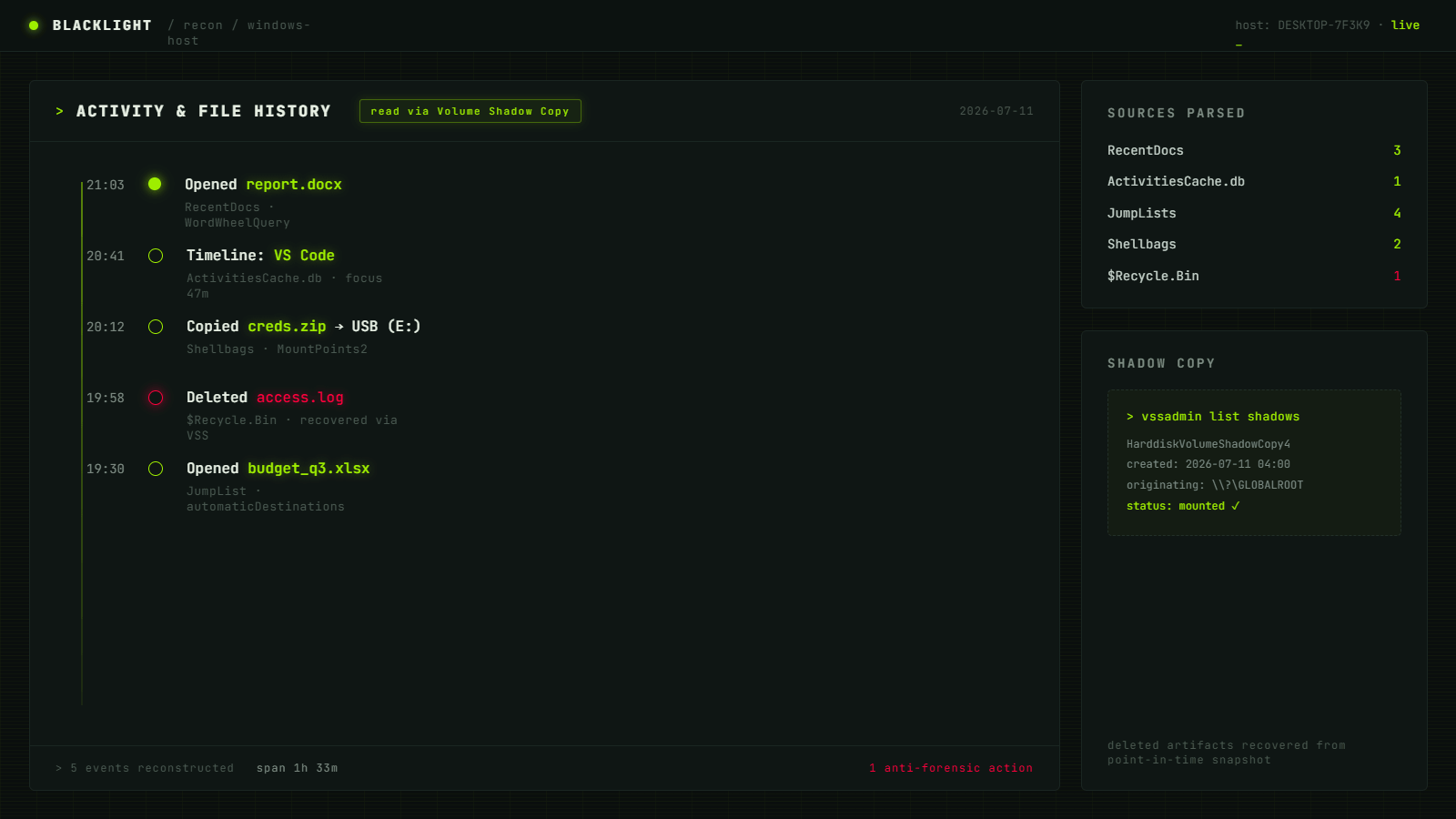
It reads what Windows already stored Registry hives, Prefetch, and locked databases (SRUM, Activity History) read safely via Volume Shadow Copy — a point-in-time snapshot so in-use files can be opened without disruption.
03
Obfuscated data gets decoded ROT13-scrambled UserAssist logs are unscrambled, BAM and Prefetch timestamps mapped, and persistent identifiers pulled into plain view.
04
Your exposure, on one screen GDID, Advertising ID, execution history, per-app network usage, and every privacy toggle — laid out in a clean dashboard.
05
Optionally clear your traces Null out the local artifacts Windows keeps on you. Standard privacy hygiene — your data, your machine, your call.

Every panel, plainly laid out

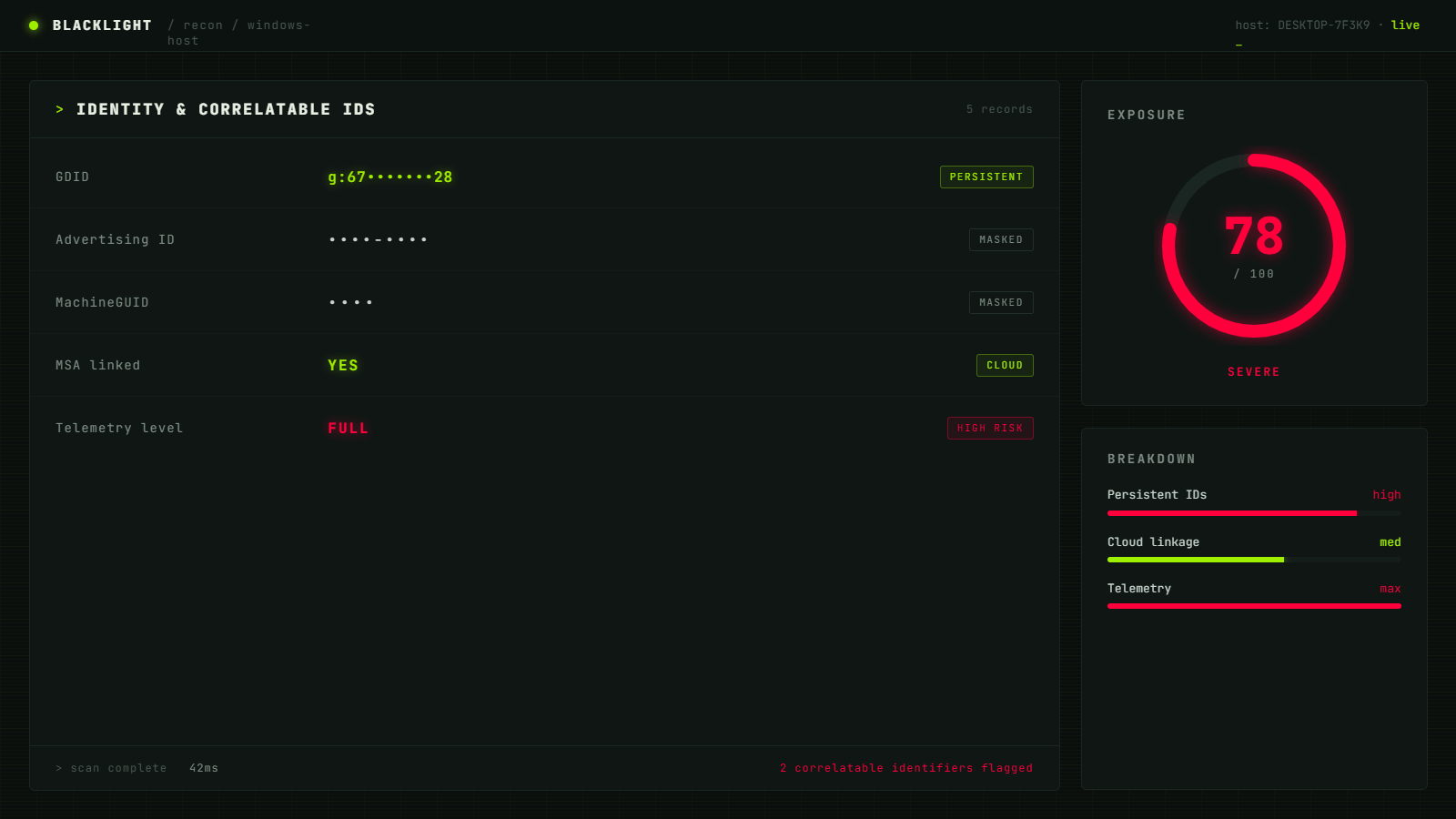
Blacklight Identity panel
IDENTITY — your GDID & correlatable IDs
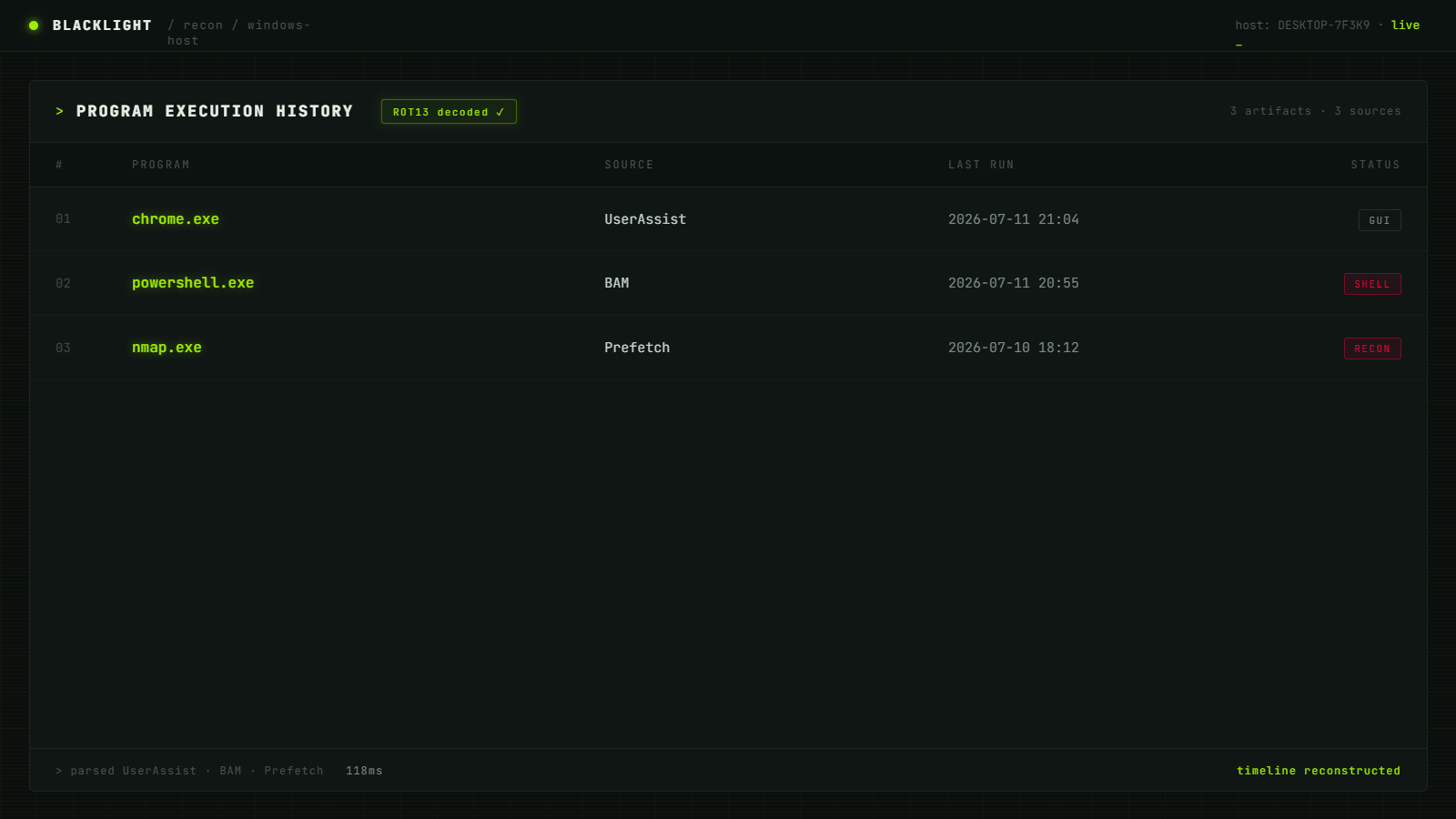
Blacklight Execution History panel
EXECUTION — what ran, and exactly when
Blacklight Activity & File History panel
ACTIVITY — files & timeline history
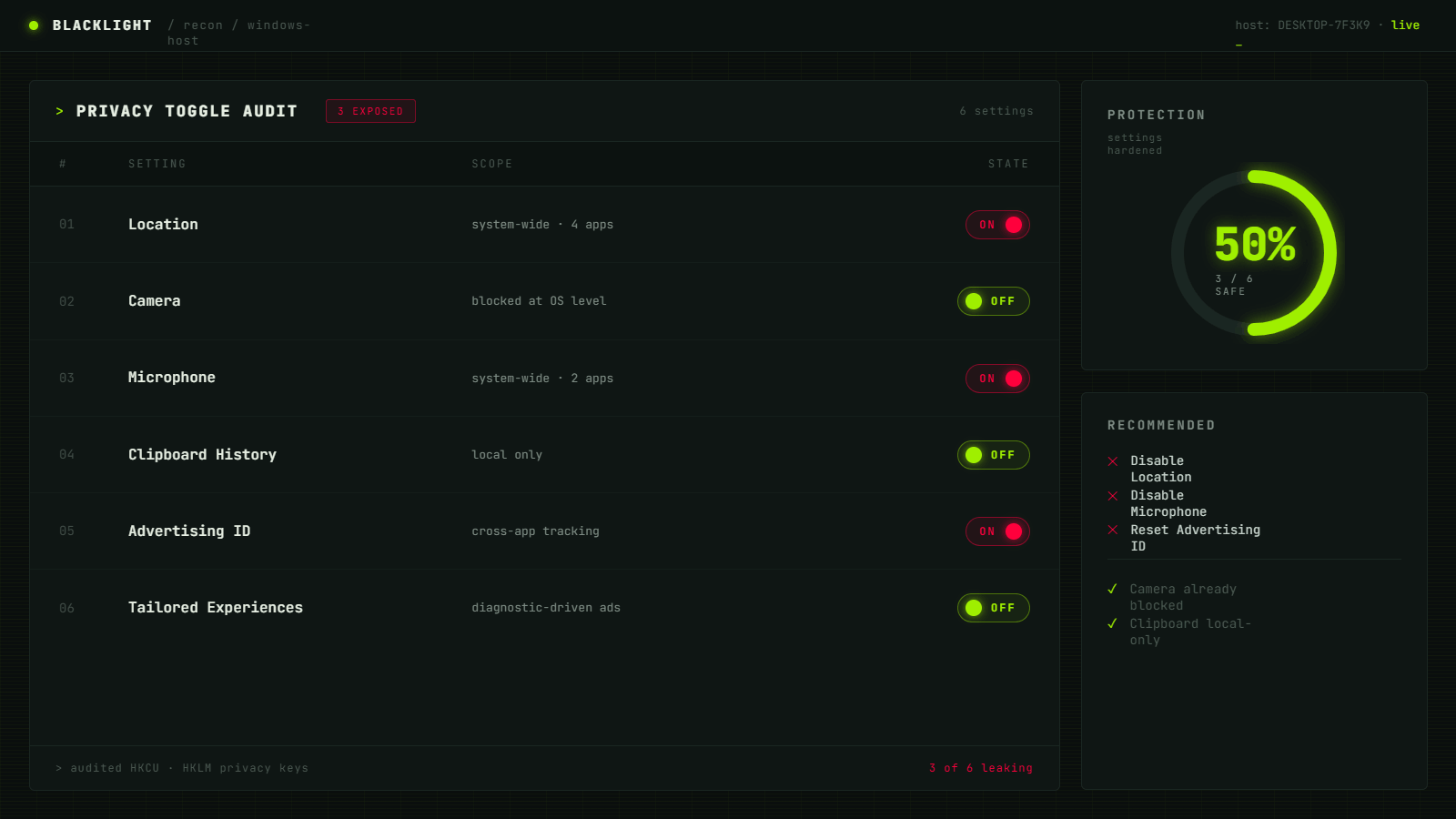
Blacklight Privacy Toggle Audit panel
PRIVACY — every toggle, audited

What Blacklight surfaces

›_ The data already sitting on your disk

Blacklight reads and decodes the same class of local artifacts used in real-world Windows forensics — all read-only, all local.

Identity

GDID

The persistent device identifier that stays fixed across updates and VPN changes.

HKCU\SOFTWARE\Microsoft\IdentityCRL\ExtendedProperties\LID
Network

SRUM

System Resource Usage Monitor — per-app run history plus how much network data each app moved.

SRUDB.dat
Execution

UserAssist

A ROT13-obfuscated registry log of the programs you've launched, decoded into plain text.

NTUSER.DAT → UserAssist
Execution

BAM & Prefetch

Background Activity Moderator last-run timestamps, plus Prefetch's launch cache that doubles as a run log.

bam\State  ·  C:\Windows\Prefetch
Audit

Privacy Toggles

Advertising ID, location, camera, mic, clipboard history, and your diagnostic-data (telemetry) level.

Settings → Privacy & security
100%

local & read-only.
Nothing is uploaded, ever.

Tiny footprint, runs anywhere

Operating System
Win 10/11
Architecture
x64
Disk Space
~50 MB
Access
Admin*

*Some artifacts (SRUM, certain registry hives) require running as Administrator. Locked databases are read safely via Volume Shadow Copy — no system files are modified.

Signal from the field

blacklight@telemetry: ~ $ tail -f live_feed Live
Visits Today
···
 
Total Visits
···
since deployment
GitHub Stars
···
live · via GitHub API
Your Origin
···
 
Top origins (by session)
› collecting signal...
Visits are counted once per browser session. Star totals are pulled live from the GitHub API (the source of truth). No cookies, no third-party trackers, no accounts.

Follow Blacklight as it builds

Star the repo to get the release the moment it drops, and help shape which artifacts get surfaced next.

Star on GitHub
STATUS: Pre-release  ·  SOURCE: Open · MIT